


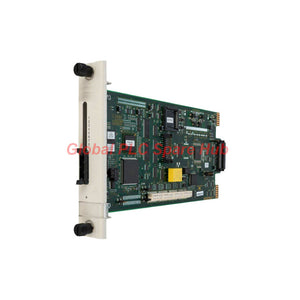
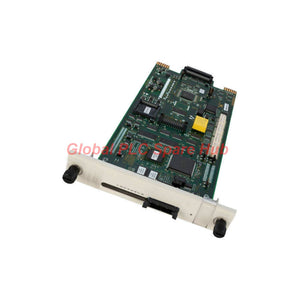
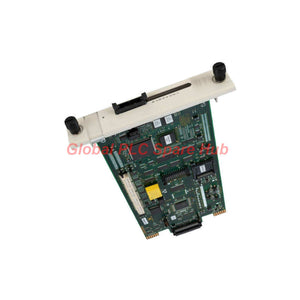
SPIPT800 INFI-Net to PN800 Module by ABB – Symphony Plus
Manufacturer: ABB
Product No.: SPIPT800
Condition: In stock
Product Type: Transfer Module
Product Origin: USA
Payment: T/T, Western Union
Weight: 500g
Shipping port: Xiamen
Warranty: 12 months
Estimate delivery times: 12-26 days (International), 3-6 days (United States).
Return within 30 days of purchase. Duties & taxes are non-refundable.
Guaranteed Safe Checkout
Product Overview – Network Transfer Function
The ABB SPIPT800 is an INFI-Net to PN800 transfer module for ABB Symphony Plus control systems. It provides bidirectional communication between the INFI-Net control network and the PN800 Plant Network.
The module transfers exception reports, control data, and configuration data through TCP/IP over Ethernet. It allows compatible network segments to exchange control information without replacing the existing INFI-Net infrastructure.
In system integration projects, the SPIPT800 supports communication between legacy INFI-Net installations and PN800-based network architecture. Engineers can use it as part of a staged network migration or an existing plant network interface arrangement.
Communication Architecture – What the Module Connects
- INFI-Net side: Connects the existing INFI-Net control network to the transfer interface.
- PN800 side: Exchanges network data with the PN800 Plant Network through Ethernet.
- Data transfer: Passes exception reports, control information, and configuration data in both directions.
- Communication protocol: Uses TCP/IP over Ethernet.
- Ethernet channels: CH 0 and CH 1 support 10/100 Mbps communication.
The SPIPT800 performs network-level data transfer. It should not be treated as a direct substitute for a controller, process I/O module, or standalone Ethernet switch.
Technical Specifications
| Parameter | Specification |
|---|---|
| Manufacturer | ABB |
| Product Model | SPIPT800 |
| Product Series | Symphony Plus – HR Series Communication |
| Product Type | INFI-Net to PN800 Transfer Module |
| Primary Function | Bidirectional network data transfer |
| Network Interfaces | INFI-Net and PN800 Plant Network |
| Communication Protocol | TCP/IP over Ethernet |
| Ethernet Channels | CH 0 and CH 1 |
| Communication Rate | 10/100 Mbps |
| RAM | 64 MB |
| NVRAM | 2 MB |
| ROM | 4 MB |
| Power Supply | +5 VDC |
| Typical Current | 1.05 A |
| Typical Power Consumption | 5.25 W |
| Network Capacity | Up to 250 nodes per INFI-Net loop or PN800 network segment |
| Maximum System Capacity | Up to 250 network segments and 62,500 nodes total, subject to system configuration |
| Operating Ambient Temperature | 0°C to 70°C (32°F to 158°F) |
System Integration – Application and Engineering Value
The SPIPT800 is relevant when a plant needs to maintain communication between an existing INFI-Net installation and a PN800 network.
- Network migration: Supports communication during a phased transition toward PN800 network infrastructure.
- Control data exchange: Transfers control and configuration information between the two network environments.
- Exception reporting: Carries exception reports across the network interface for system monitoring and event handling.
- Large network architecture: Supports network configurations with multiple loops or segments, subject to the system design limits.
- Plant expansion: Provides a communication interface when integrating compatible network segments into an existing control system.
Before implementation, engineers should confirm the installed controller architecture, network topology, firmware compatibility, and the required interface hardware. Ethernet link speed alone does not establish end-to-end communication compatibility.
Related Interface Kit – SPIEB800K02
The SPIEB800K02 is the related INFI-Net to PN800 Plant Network interface bundled kit. It includes the modules, termination units, cables, and mounting hardware required for the specified interface arrangement.
| Part Number | Description | Kit Quantity |
|---|---|---|
| SPIPT800 | INFI-Net to Plant Network transfer module | 2 |
| SPNIS21 | Network interface module | 2 |
| NKLS01-10 | Communication module cable | 2 |
| NTCL01 | Communication termination unit | 2 |
| IEMMU21 | Module mounting unit | 1 |
| NFTP01 | Field termination panel | 1 |
| PBA800 | Process bus adaptor 800 | 2 |
| TER800 | HN800/CW800 bus terminator | 2 |
| SPK800-RCL1 | Bridge redundancy cable | 1 |
Ordering note: SPIPT800 is the individual transfer module. SPIEB800K02 is the complete bundled interface kit. Confirm the required scope before ordering.
Installation and Commissioning Considerations
- Check the hardware identity: Confirm the SPIPT800 model number and hardware revision against the installed system documentation.
- Verify the mounting arrangement: Check the required mounting unit, termination hardware, and cable connections.
- Check the power source: Verify the +5 VDC supply and available current capacity before installation.
- Inspect Ethernet connections: Confirm CH 0 and CH 1 assignments, cable condition, and network-side settings.
- Validate network configuration: Check IP addressing, TCP/IP settings, network topology, and communication parameters against the approved project configuration.
- Test data exchange: Verify exception reports, control data, and configuration transfer in both directions.
- Record the results: Document module identity, network settings, communication status, and commissioning observations.
Do not change live network settings without an approved maintenance procedure. A configuration mismatch can interrupt communication between connected control networks.
Maintenance and Fault Isolation
- Communication interruption: Check Ethernet cabling, port assignments, network availability, and configuration consistency before replacing the module.
- Intermittent data transfer: Review network errors, connection stability, and the condition of associated interface components.
- Power-related symptoms: Measure the +5 VDC supply under operating conditions and check for voltage instability.
- Network expansion: Recalculate node and segment counts before adding another network connection.
- Module replacement: Record the original hardware revision and configuration details before removing the installed unit.
Replacing a transfer module does not automatically correct a network-side fault. Check the connected interface hardware and network configuration as part of the same diagnostic process.
Frequently Asked Questions
Q1: Can an SPIPT800 replacement be installed without changing the existing INFI-Net configuration?
A: Not automatically. A replacement may retain the existing network design, but engineers should verify the module revision, interface arrangement, firmware requirements, and configured network parameters. Record the existing settings before removing the original module. This reduces the risk of introducing a second fault during replacement.
Q2: What should engineers check when Ethernet communication is available but control data does not transfer?
A: A physical Ethernet link does not prove that the network bridge is exchanging valid control data. Check TCP/IP configuration, network addressing, routing or segment settings, and the status of both connected network sides. Then test exception reports and control data separately. This helps distinguish a link-layer problem from a configuration or application-level issue.
Q3: Does a 100 Mbps Ethernet connection guarantee the full 62,500-node system capacity?
A: No. The published capacity describes the supported network scale, not guaranteed throughput under every operating condition. Actual performance depends on network topology, traffic volume, connected equipment, and system configuration. Review the project network design before using the maximum node count as a planning target.
Q4: Should a plant order SPIPT800 or the SPIEB800K02 kit for a network expansion?
A: Choose SPIPT800 when the project requires the individual transfer module and the remaining interface hardware is already available. Choose SPIEB800K02 when the specified bundled interface components are also required. Check the installed inventory first. Ordering the module alone may leave the project without the necessary termination or mounting components.
Q5: What information should be collected before requesting a replacement quotation?
A: Provide the full model number, hardware revision, quantity, installed system series, and a clear photo of the module nameplate. If possible, include the related interface-kit number and the nature of the communication fault. These details help confirm the correct item and reduce the risk of selecting an incompatible network component.
Tags
Q: Are these parts 100% original and new?
A: Yes. Every component is guaranteed to be 100% original, brand-new, and factory-sealed. We also provide a 12-month comprehensive warranty for your peace of mind.
Q: How fast is the shipping to my country?
A: For in-stock items, we offer same-day dispatch. International express shipping (DHL/FedEx/UPS) typically delivers within 3–5 business days worldwide.
Q: Can I get a formal quotation with shipping costs?
A: Absolutely. Our sales team is ready to provide a detailed Proforma Invoice (PI) including the most competitive shipping rates for your location.
Q: Do you offer discounts for bulk orders?
A: We provide volume-based pricing for large projects or multiple-item orders. Please contact us to get our Best Price Guarantee.
12-Month Comprehensive Warranty
Every part supplied by Global PLC Spare Hub is covered by a 12-month warranty from the date of invoice.
- Coverage: Functional defects and hardware failures under normal operating conditions.
- Commitment: We provide immediate repair, replacement, or a full refund for any verified defective components to minimize your operational downtime.
Returns & Exchange Policy
We offer a 30-day return policy to ensure you receive the exact part your system requires.
- Eligibility: Returns are accepted for uninstalled items in their original, factory-sealed packaging.
- RMA Process: Please contact our support team to obtain a Return Merchandise Authorization (RMA) number before shipping.
- Fast Processing: Refunds or exchanges are processed within 3–5 business days after the returned item passes our technical inspection.
Need Technical Assistance?Not sure if this part is compatible with your system? [Consult our Engineers] before purchasing to ensure 100% compatibility.
People Also Bought


