


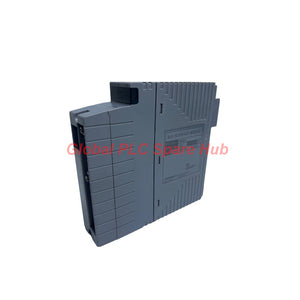
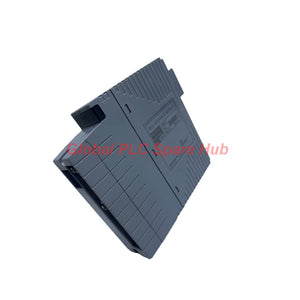
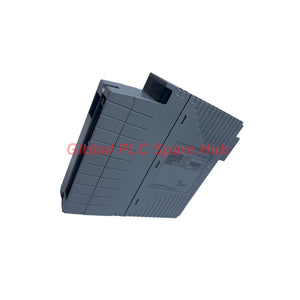
SB401-50 Yokogawa ESB Interface Module for FCU and Bus Node Connectivity
Manufacturer: Yokogawa
Product No.: SB401-50
Condition: In stock
Product Type: ESB Interface Module
Product Origin: SG
Payment: T/T, Western Union
Weight: 500g
Shipping port: Xiamen
Warranty: 12 months
Estimate delivery times: 12-26 days (International), 3-6 days (United States).
Return within 30 days of purchase. Duties & taxes are non-refundable.
Guaranteed Safe Checkout
Yokogawa SB401-50 | ESB Bus Interface Slave Module
The Yokogawa SB401-50 is an ESB Bus Interface Slave Module associated with Yokogawa distributed control system (DCS) architectures. It is relevant to ESB bus node integration, system maintenance, and compatible control-system replacement projects.
For an ESB Bus Node Unit connected to a Field Control Unit (FCU), the system configuration must include the specified ESB Bus Coupler Module, EC401 or EC402. The FCU installation slot and single/dual configuration requirements must be checked before commissioning.
The supplied ordering information identifies the SB401-50 as a standard type without explosion protection and a basic type. Verify the complete system configuration, applicable hardware documentation, and power-supply requirements before selecting a replacement.
1. Configuration Breakdown — Decode SB401-50
| Model Segment | Configuration | Selection Notes |
|---|---|---|
| SB401 | ESB Bus Interface Slave Module | Identifies the base model and module function. |
| -5 | Standard type without explosion protection | Check the installation area's hazardous-area requirements. |
| 0 | Basic type | Identifies the basic configuration in the supplied ordering information. |
Complete ordering code: SB401-50
- Brand: Yokogawa
- Product type: ESB Bus Interface Slave Module
- Condition: New and original in factory packing, as specified for this offering
- Factory warranty: 12 months, subject to the agreed sales terms
Ordering advice: Use the complete part number when requesting a quotation. Do not select a substitute based only on the SB401 base number or a similar ESB interface description.
2. ESB Bus Architecture — FCU and Node Connection
When an ESB Bus Node Unit is connected to an FCU, the supplied system instructions specify the use of an ESB Bus Coupler Module, EC401 or EC402, in the FCU.
| Configuration Item | Requirement | Engineering Check |
|---|---|---|
| ESB bus coupler | EC401 or EC402 | Confirm the approved coupler model for the target FCU. |
| Dual-slot installation | Slot 7 and Slot 8 | Check the FCU hardware arrangement and installed coupler modules. |
| Single configuration | Install EC401 or EC402 in Slot 7; leave Slot 8 empty | Do not populate Slot 8 when following the stated single-configuration arrangement. |
| FCU models listed in the supplied information | A2FV50□, A2FV70□, AFV30□, or AFV40□ | Verify the complete FCU model and its applicable hardware manual. |
System integration note: The coupler slot requirements above describe the associated FCU architecture. They should not be interpreted as the physical mounting requirements of the SB401-50 itself. Confirm the module's installation location and wiring from the relevant Yokogawa system documentation.
3. Power Supply and Electrical Planning
The supplied ordering information lists the following power-supply options and electrical consumption figures. Confirm which values apply to the target assembly before using them for a replacement or cabinet power-budget calculation.
| Listed Supply Option | Frequency | Listed Power Consumption |
|---|---|---|
| 100–120 V AC | 50/60 Hz | 200 VA, 120 W |
| 220–240 V AC | 50/60 Hz | 230 VA, 120 W |
| 24 V DC | Not applicable | 5.5 A |
Important verification: These figures are reproduced from the supplied ordering information and may refer to the associated node-unit or system assembly rather than the SB401-50 module alone. Confirm the applicable equipment nameplate and official hardware manual before sizing a power supply or replacing a unit.
4. Mechanical and Ordering Reference
| Item | Supplied Information |
|---|---|
| Part number | SB401-50 |
| Manufacturer | Yokogawa |
| Product category | ESB Bus Interface Slave Module |
| Type | Standard type without explosion protection; basic type |
| Listed weight | Approximately 10 kg, including 8 I/O modules |
| Condition | New and original in factory packing, as specified for this offering |
| Warranty | 12 months under agreed sales terms |
The approximately 10 kg weight is explicitly stated as including eight I/O modules. It should not be used as the standalone weight of the SB401-50 without further documentation.
5. Suitable Equipment and Application Scenarios
- Yokogawa DCS installations: Maintenance and replacement planning for compatible ESB bus architectures.
- FCU and ESB node integration: System-level projects where an ESB Bus Node Unit communicates through the prescribed bus coupler arrangement.
- Process plants: Control-system maintenance in oil and gas, chemical, power, and other process industries that use compatible Yokogawa infrastructure.
- Control cabinet refurbishment: Verification of existing interface hardware, coupler slots, and associated power arrangements during cabinet maintenance.
- Spare-parts management: Procurement planning for installed systems where exact part-number matching helps reduce replacement risk.
Application suitability depends on the installed Yokogawa system, hardware revision, and approved configuration. The information provided does not establish a specific communication speed, port count, or standalone diagnostic feature for the SB401-50.
6. Engineering Diagnostics — Start with the System Path
| Observed Problem | Recommended Checks | Possible Area to Investigate |
|---|---|---|
| ESB node is not communicating with the FCU | Verify the approved EC401/EC402 model, FCU slot arrangement, cable connections, and system diagnostics. | Coupler installation, bus connection, node configuration, or an associated hardware fault. |
| Communication problems appear after cabinet maintenance | Compare the current hardware arrangement with the approved configuration and check disturbed connectors and wiring. | Incorrect slot population, loose connections, or a configuration mismatch. |
| System does not start after a replacement | Recheck the full part number, compatible hardware list, power-supply specification, and installation procedure. | Incorrect replacement, incompatible hardware, or a power/configuration issue. |
| Single configuration behaves differently from the previous installation | Confirm that the coupler is in Slot 7 and Slot 8 is empty, as required by the supplied single-configuration instructions. | Incorrect FCU slot arrangement or a mismatch between the intended and installed architecture. |
| Power-related alarms appear after installation | Check the actual assembly nameplate, supply type, rated voltage, wiring, and power budget. | Incorrect supply selection, wiring, or use of power figures for the wrong assembly. |
| Fault persists after checking external connections | Collect system alarm details, module identification, FCU model, coupler model, and recent maintenance history. | Requires further isolation using the applicable Yokogawa diagnostic procedures. |
Field practice: Start with the complete communication path and the FCU coupler arrangement before attributing a bus fault to the slave interface module. If the system was operating normally before maintenance, check the components and connections that were disturbed first.
7. Installation and Replacement Checklist
- Confirm identification: Read the existing label and verify SB401-50.
- Check the FCU: Record the complete FCU model and confirm its compatibility with the installed ESB architecture.
- Verify coupler placement: Check EC401/EC402 installation and the required slot arrangement for single or dual configuration.
- Confirm power requirements: Match the supply type and voltage to the applicable assembly documentation.
- Inspect the bus path: Check connectors, cables, and related node connections for damage or incomplete seating.
- Review diagnostics: Record FCU alarms and node status before and after replacement.
- Validate operation: Follow the approved commissioning procedure and confirm normal communication before returning the system to service.
Follow the plant's isolation, lockout/tagout, and system-specific replacement procedures. Do not assume that the module can be removed or inserted while energized unless the applicable documentation explicitly permits it.
8. Global PLC Spare HUB's Insight
For an ESB interface-related fault, replacing the identified module is only one part of the troubleshooting process. The FCU coupler model, slot arrangement, node connections, and supply configuration can all affect system recovery.
When communication fails after maintenance, compare the installed architecture against the approved configuration before replacing additional hardware. For a single configuration, the supplied instructions specifically require EC401 or EC402 in Slot 7 and an empty Slot 8.
Procurement teams should also distinguish module-specific ratings from figures that apply to a larger node-unit assembly. The listed 10 kg weight includes eight I/O modules, while the power figures require confirmation against the relevant equipment documentation. These checks help prevent incorrect shipping estimates, power calculations, and replacement selections.
9. Warranty, Product Condition, and Shipping
- Product: Yokogawa SB401-50 ESB Bus Interface Slave Module.
- Condition: New and original in factory packing, as specified for this offering.
- Warranty: 12 months under the agreed sales terms.
- Courier options: FedEx, UPS, and DHL, subject to destination and service availability.
- Availability: Confirm stock and dispatch timing when requesting a quotation.
- Compatibility review: Provide the FCU model, EC401/EC402 configuration, and existing part number for a more accurate assessment.
Request a quotation for SB401-50. Include the required quantity, destination country, FCU model, and relevant system details to help verify the correct configuration before purchase.
10. Frequently Asked Questions
Q1: Does SB401-50 include the EC401 or EC402 bus coupler?
A: The supplied information describes EC401/EC402 as coupler modules installed in the FCU for the ESB node connection. It does not establish that either coupler is included with SB401-50. Confirm the quoted bill of materials and the contents of the specific order.
Q2: How can I determine whether a single or dual FCU configuration is installed?
A: Check the system drawings, FCU hardware arrangement, and installed coupler modules. The supplied instructions specify EC401 or EC402 in Slot 7 with Slot 8 empty for a single configuration, and installation in Slots 7 and 8 for the stated two-slot arrangement. Verify the applicable system manual before making changes.
Q3: Can I use the listed 24 V DC, 5.5 A figure to size the SB401-50 power supply?
A: Not without confirming which assembly the figure applies to. The supplied weight includes eight I/O modules, suggesting that some listed data may describe a larger assembly. Use the target equipment nameplate and official documentation to determine the actual supply requirement.
Q4: What details are most useful when diagnosing an ESB communication fault?
A: Record the FCU model, EC401/EC402 model and slot positions, node identification, relevant alarm messages, and any recent wiring or module changes. These details help distinguish a coupler or connection issue from a module or system-configuration problem.
Q5: What should I confirm before ordering SB401-50 for an older Yokogawa installation?
A: Match the full part number, verify compatibility with the installed FCU and ESB node architecture, confirm the required coupler arrangement, and check the applicable supply configuration. If the existing label is unclear, provide a label photo and system details before ordering rather than relying on a similar model name.
Tags
Q: Are these parts 100% original and new?
A: Yes. Every component is guaranteed to be 100% original, brand-new, and factory-sealed. We also provide a 12-month comprehensive warranty for your peace of mind.
Q: How fast is the shipping to my country?
A: For in-stock items, we offer same-day dispatch. International express shipping (DHL/FedEx/UPS) typically delivers within 3–5 business days worldwide.
Q: Can I get a formal quotation with shipping costs?
A: Absolutely. Our sales team is ready to provide a detailed Proforma Invoice (PI) including the most competitive shipping rates for your location.
Q: Do you offer discounts for bulk orders?
A: We provide volume-based pricing for large projects or multiple-item orders. Please contact us to get our Best Price Guarantee.
12-Month Comprehensive Warranty
Every part supplied by Global PLC Spare Hub is covered by a 12-month warranty from the date of invoice.
- Coverage: Functional defects and hardware failures under normal operating conditions.
- Commitment: We provide immediate repair, replacement, or a full refund for any verified defective components to minimize your operational downtime.
Returns & Exchange Policy
We offer a 30-day return policy to ensure you receive the exact part your system requires.
- Eligibility: Returns are accepted for uninstalled items in their original, factory-sealed packaging.
- RMA Process: Please contact our support team to obtain a Return Merchandise Authorization (RMA) number before shipping.
- Fast Processing: Refunds or exchanges are processed within 3–5 business days after the returned item passes our technical inspection.
Need Technical Assistance?Not sure if this part is compatible with your system? [Consult our Engineers] before purchasing to ensure 100% compatibility.
People Also Bought


