


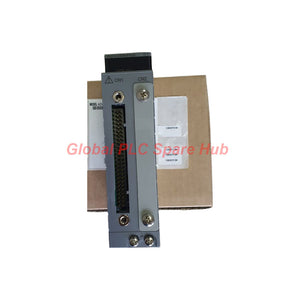

ADV169-P00 Yokogawa ST6 Digital Input Module | ADV169 64-Channel
Manufacturer: Yokogawa
Product No.: ADV169-P00
Condition: In stock
Product Type: Digital Input Module
Product Origin: SG
Payment: T/T, Western Union
Weight: 500g
Shipping port: Xiamen
Warranty: 12 months
Estimate delivery times: 12-26 days (International), 3-6 days (United States).
Return within 30 days of purchase. Duties & taxes are non-refundable.
Guaranteed Safe Checkout
ADV169-P00 | Yokogawa 64-Channel Digital Input Module
The Yokogawa ADV169-P00 is a 64-channel digital input module designed for compatible ST6 systems. It acquires discrete signals from field contacts and voltage-input circuits, allowing a control system to monitor equipment status and process interlocks.
Unlike input modules designed for dedicated pushbutton edge counting, the ADV169 does not support the pushbutton input function. Its stated status-input response time is 8 ms. This makes signal type, input thresholds, common wiring, and system compatibility important selection criteria.
The module uses common-side grouping every 16 channels and connects through a dedicated KS9 cable. Before replacement, verify the installed ST6 hardware configuration and the field termination arrangement.
1. Model Configuration Tree
-
ADV169 — Base Model
- 64-channel digital input module.
- Designed for compatible ST6 systems.
- Common-side grouping every 16 channels.
-
-P — Standard Type
- Standard product configuration according to the supplied model-code information.
-
0 — Fixed Code
- The first 0 is specified as always 0.
-
0 — Basic Type
- Identifies the basic type in the supplied suffix definition.
Complete model: ADV169-P00
Procurement note: Do not assume that another ADV169 variant or a different 64-channel module is interchangeable. Confirm the full part number, ST6 compatibility, KS9 cable requirement, and installed termination hardware.
2. Input Architecture and Electrical Limits
| Specification | ADV169 Requirement | Field Engineering Consideration |
|---|---|---|
| Number of input channels | 64 | Supports high-density discrete signal acquisition. |
| System compatibility | ST6-compatible | Confirm the exact installed system and hardware revision. |
| Signal isolation arrangement | Common every 16 channels | Inspect common wiring by group when several points behave abnormally. |
| Contact input — OFF | 100 kΩ or more | Check contact resistance and unwanted leakage paths. |
| Contact input — ON | 200 Ω or less | Check closed-contact resistance and terminal continuity. |
| Minimum current when contact is short-circuited | 1.25 mA | Use the specified value when assessing contact-input conditions. |
| Voltage input — OFF signal | 4.5 to 25 V DC | Confirm the field voltage falls within the specified OFF range. |
| Voltage input — ON signal | ±1 V DC, 200 Ω or less | Check signal voltage and source impedance against the stated condition. |
| Input contact rating | 5 V DC, 20 mA or more | Confirm that the connected contact is suitable for the input circuit. |
| Status-input response time | 8 ms | Consider this value when evaluating status transitions and signal timing. |
| Pushbutton input function | Not supported | Do not select this module for applications requiring the dedicated pushbutton input function. |
| Maximum current consumption | 800 mA at 5 V DC | Include the module in the rack power-budget calculation. |
| Approximate weight | 0.30 kg | Useful for handling and spare-parts planning. |
| External connection | Dedicated KS9 cable | Verify cable part number, connector condition, and routing. |
Input interpretation note: The stated voltage-input ON and OFF conditions are presented as supplied. Verify the complete input circuit specification and applicable wiring diagram before commissioning, especially when the field device produces a voltage near a stated boundary.
3. Contact Input vs. Voltage Input
| Signal Type | What to Verify | Typical Field Devices |
|---|---|---|
| Contact input | Closed-contact resistance, open-contact resistance, wiring continuity, and common connection. | Auxiliary relays, limit switches, dry contacts, and mechanical status switches. |
| Voltage input | Actual DC voltage at the module interface, signal reference, and source impedance. | Compatible electronic status outputs and discrete voltage signals. |
Do not infer input compatibility from the device label alone. A field contact, transistor output, relay output, and voltage-driven signal can behave differently under the module's electrical input conditions.
4. Typical Equipment and Applications
- Process control systems: Acquire discrete feedback from pumps, valves, auxiliary equipment, and process permissive circuits.
- Oil and gas facilities: Monitor selected equipment contacts, package status, and discrete feedback where the installed system and signal characteristics are compatible.
- Power and utility installations: Collect non-safety equipment status, auxiliary relay contacts, and selected switchgear feedback.
- Chemical and pharmaceutical plants: Monitor utility equipment, machine status, and discrete process conditions.
- Manufacturing lines: Read compatible limit switches, relay contacts, and machine-ready signals.
- Legacy control-system maintenance: Support like-for-like replacement in compatible ST6 installations after hardware and cable verification.
The ADV169 is a general digital input module. Do not treat it as a certified safety input module or use it as a replacement for dedicated ESD/SIS hardware without explicit approval in the system safety documentation.
5. Field Diagnostics and Troubleshooting Matrix
| Symptom | Diagnostic Procedure | Potential Cause |
|---|---|---|
| One input does not change state | Measure the signal at the termination point, check contact resistance, and verify the channel assignment in the controller. | Open wiring, defective field contact, incorrect channel mapping, or a channel-level fault. |
| Input remains ON when the contact should be open | Check open-contact resistance, leakage paths, cross-wiring, and unwanted voltage at the input. | Contact leakage, wiring faults, or incorrect field-device connections. |
| Input remains OFF when the contact is closed | Measure closed-contact resistance and inspect the cable, terminal, and common reference. | High contact resistance, loose termination, broken conductor, or incorrect common wiring. |
| Several channels in one group fail together | Inspect the common connection serving the affected 16-channel group and check the relevant KS9 cable path. | Shared common wiring, connector problems, or a group-level electrical issue. |
| Inputs change intermittently during motor or relay operation | Monitor the input at the terminal while equipment switches. Inspect grounding, cable separation, shielding, and contact condition. | Electrical interference, unstable contacts, or induced voltage. |
| Input state differs between field measurement and controller display | Confirm measurement reference, terminal mapping, controller channel configuration, and diagnostic status. | Incorrect measurement reference, configuration mismatch, termination problems, or module-related fault. |
| Replacement module does not restore operation | Reconfirm ADV169-P00, ST6 compatibility, KS9 cable, termination arrangement, and controller configuration. | Incorrect replacement variant, cable incompatibility, or an unresolved external wiring or configuration fault. |
Recommended troubleshooting order: Start with the field device and terminal measurements. Then check common wiring and the KS9 connection before concluding that the module itself has failed. Follow site electrical safety and isolation procedures during all tests.
6. Installation and Replacement Workflow
- Identify the installed module: Record the complete model code and confirm ADV169-P00.
- Confirm system compatibility: Check the ST6 system documentation, hardware revision, and approved replacement list.
- Verify the cable interface: Confirm that the dedicated KS9 cable and installed termination hardware are correct.
- Review input types: Classify field signals as contact or voltage inputs and check the specified electrical conditions.
- Inspect common wiring: Verify the common-side connections for each 16-channel group.
- Test representative channels: Check both ON and OFF conditions and compare the field state with the controller indication.
- Record commissioning results: Document the channel map, test conditions, and any configuration changes.
Do not assume hot-swapping is permitted. Follow the system manual and site procedures for module removal, insertion, and power isolation.
7. Replacement Selection Checklist
- Is the target system confirmed as compatible with the ADV169 and its hardware revision?
- Does the existing module label show ADV169-P00 or an explicitly approved equivalent?
- Is the required dedicated KS9 cable installed and in good condition?
- Do the field devices meet the stated contact or voltage input conditions?
- Have the 16-channel common groups been checked against the actual wiring diagram?
- Does the application require only status input, rather than the unsupported pushbutton input function?
- Has the rack's 5 V DC power budget been checked for the module's maximum stated consumption of 800 mA?
8. Global PLC Spare HUB Review
The ADV169-P00 is best evaluated as a high-density input module for a compatible ST6 installation. Its 64-channel capacity can simplify discrete signal collection, but the main replacement risks are system compatibility, cable termination, and common-side wiring.
In field troubleshooting, a fault affecting several channels in the same 16-channel group deserves a common-connection check before individual channel failures are assumed. This approach can help narrow the fault location and avoid unnecessary module replacement.
Another important selection point is the absence of the pushbutton input function. If the application depends on dedicated pushbutton edge counting, verify the required input module before ordering. For standard status monitoring, assess the field contact or voltage conditions against the stated specifications and confirm the channel configuration in the control system.
9. Warranty, Inspection, and Shipping
- Warranty: 12-month warranty under the agreed sales terms.
- Pre-shipment verification: Model identification and available condition checks can be arranged before dispatch.
- Courier options: FedEx, UPS, and DHL, subject to destination and service availability.
- Availability: Confirm current stock and lead time when requesting a quotation.
- Compatibility assistance: Share the module label, system model, KS9 cable details, and application requirements for a more accurate replacement assessment.
Request pricing for Yokogawa ADV169-P00. Include the quantity, destination, and existing system details to help verify the required configuration before purchase.
10. Frequently Asked Questions
Q1: Can the ADV169-P00 be used to count repeated operator pushbutton presses?
A: The supplied specifications state that the dedicated pushbutton input function is not supported. If the application requires edge counting, confirm that the controller logic and selected hardware are suitable for the required behavior rather than assuming the ADV169 provides that function.
Q2: What information should be supplied when requesting a replacement quotation?
A: Provide the full module part number, a photo of the nameplate, the installed system model, the KS9 cable or termination details, required quantity, and destination. These details help distinguish a true compatible replacement from a module with a similar channel count.
Q3: Why should the 16-channel common arrangement be checked during a fault investigation?
A: A shared common connection can affect multiple inputs at once. If several points fail together, compare the affected channels by common group and inspect the related terminals and cable path before replacing individual field devices.
Q4: Can a field device be connected simply because its output is described as 24 V DC?
A: Not automatically. Verify the actual ON/OFF voltage conditions, source impedance, signal reference, and wiring method against the module specifications. Also confirm whether the circuit is a contact input or a voltage input.
Q5: What should be done if the module's power consumption affects the rack power budget?
A: Include the stated maximum consumption of 800 mA at 5 V DC in the rack-level calculation. Review the power supply capacity, other installed modules, and the applicable system design limits before adding or replacing hardware.

Tags
Q: Are these parts 100% original and new?
A: Yes. Every component is guaranteed to be 100% original, brand-new, and factory-sealed. We also provide a 12-month comprehensive warranty for your peace of mind.
Q: How fast is the shipping to my country?
A: For in-stock items, we offer same-day dispatch. International express shipping (DHL/FedEx/UPS) typically delivers within 3–5 business days worldwide.
Q: Can I get a formal quotation with shipping costs?
A: Absolutely. Our sales team is ready to provide a detailed Proforma Invoice (PI) including the most competitive shipping rates for your location.
Q: Do you offer discounts for bulk orders?
A: We provide volume-based pricing for large projects or multiple-item orders. Please contact us to get our Best Price Guarantee.
12-Month Comprehensive Warranty
Every part supplied by Global PLC Spare Hub is covered by a 12-month warranty from the date of invoice.
- Coverage: Functional defects and hardware failures under normal operating conditions.
- Commitment: We provide immediate repair, replacement, or a full refund for any verified defective components to minimize your operational downtime.
Returns & Exchange Policy
We offer a 30-day return policy to ensure you receive the exact part your system requires.
- Eligibility: Returns are accepted for uninstalled items in their original, factory-sealed packaging.
- RMA Process: Please contact our support team to obtain a Return Merchandise Authorization (RMA) number before shipping.
- Fast Processing: Refunds or exchanges are processed within 3–5 business days after the returned item passes our technical inspection.
Need Technical Assistance?Not sure if this part is compatible with your system? [Consult our Engineers] before purchasing to ensure 100% compatibility.
People Also Bought


