


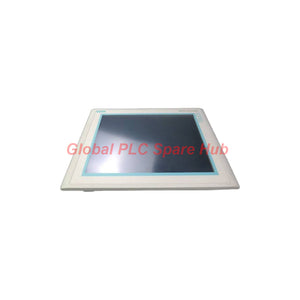
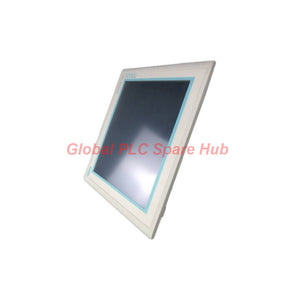
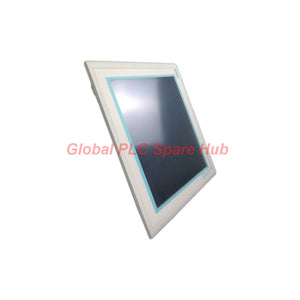
6AV6545-0DB10-0AX0 Siemens MP 370 Touchscreen Operator Panel
Manufacturer: Siemens
Product No.: 6AV6545-0DB10-0AX0
Condition: In stock
Product Type: Operator Panel
Product Origin: DE
Payment: T/T, Western Union
Weight: 500g
Shipping port: Xiamen
Warranty: 12 months
Estimate delivery times: 12-26 days (International), 3-6 days (United States).
Return within 30 days of purchase. Duties & taxes are non-refundable.
Guaranteed Safe Checkout
Product Overview
The Siemens 6AV6545-0DB10-0AX0 is a SIMATIC Multi Panel MP 370 with a 15.1-inch color TFT touchscreen. It provides an operator interface for industrial machine control, process visualization, and production monitoring.
This MP 370 HMI panel runs Windows CE 3.0 and supports projects configured with ProTool V6.0 SP2 or later. It also supports WinCC flexible Standard V2004 or later.
The 1024 × 768 display presents process values, alarms, recipes, and graphical operating screens. Its analog resistive touchscreen supports direct operator interaction.
Multiple communication interfaces connect the panel with Siemens controllers and selected third-party PLC systems. Its PC card, CompactFlash, and Ethernet support provide flexible project transfer and data archiving options.
Technical Specifications
| Manufacturer | Siemens |
| Model Number | 6AV6545-0DB10-0AX0 |
| Product Family | SIMATIC HMI MP 370 |
| Product Type | Multi Panel Operator Interface |
| Display Technology | 15.1-inch TFT Color Display |
| Display Colors | 256 Colors |
| Screen Resolution | 1024 × 768 Pixels |
| Touch Technology | Analog Resistive Touchscreen |
| Preinstalled Operating System | Windows CE 3.0 |
| Processor Architecture | MIPS |
| Memory Type | Flash / RAM |
| User Data Memory | 7,168 KB |
| Typical Power Consumption | 41 W |
| Rated Input Current | 1.8 A |
| Supply Type | DC |
| Backup Battery | Optional 3.6 V Battery |
| Minimum Backup Time | 3 Years |
| Front Protection | IP65 |
| Rear Protection | IP20 |
| Operating Temperature | 0°C to +50°C |
| Storage Temperature | -20°C to +60°C |
| Maximum Operating Humidity | 85% Relative Humidity |
| Mounting Orientation | Vertical |
| Maximum Inclination | 35° without external ventilation |
| Front Housing Dimensions | 400 × 310 mm |
| Overall Depth | 69 mm |
| Weight | 5.7 kg |
Display and Operator Interface Architecture
The MP 370 combines a large-format TFT display with resistive touch technology. This configuration supports direct operation through graphical process screens.
- Display Resolution: 1024 × 768 pixels for detailed process visualization.
- Display Backlight: 50,000-hour MTBF at 25°C.
- Touch Input: Analog resistive touchscreen.
- Keyboard Support: Numeric, alphanumeric, and hexadecimal input.
- External Devices: USB connection for compatible keyboards, mice, and barcode readers.
- Operator Controls: Illuminated pushbutton support.
- Screen Protection: Clean-screen and touch-calibration functions.
Communication Interfaces and Expansion
The panel provides multiple serial and network interfaces for controller integration and engineering operations.
| Interface | Quantity | Application |
| TTY | 1 | Serial communication |
| RS232 | 2 | Serial PLC and peripheral connections |
| RS422 | 1 | Serial communication |
| RS485 | 1 | Industrial serial communication |
| Ethernet RJ45 | 1 | Network communication and data transfer |
| USB | 1 | Supported peripheral connections |
| PC Card Slot | 1 | External storage and project transfer |
| CompactFlash Slot | 1 | Data storage and archiving |
Expansion Considerations: The panel supports PC cards and CompactFlash cards. The specified configuration does not support USB memory storage, MMC cards, or SD cards.
HMI Runtime and Process Visualization
The 6AV6545-0DB10-0AX0 provides extensive runtime functions for machine operation and process supervision.
| Function Category | Supported Capacity or Capability |
| Configurable Screens | 500 |
| Device Variables | 2,048 |
| Variables per Screen | 400 |
| Text Elements | 30,000 |
| Recipes | 500 |
| Records per Recipe | 1,000 |
| Entries per Record | 1,000 |
| Integrated Recipe Memory | 128 KB Flash, expandable |
| Alarm Classes | 32 |
| Alarm Messages | 4,000 |
| Archive Capacity | 50 Archives per Device |
| Archive Entries | 50,000 per Archive |
| Measuring Points | 50 per Project |
| User Groups | 50 |
| User Rights | 32 |
| Text Lists | 500 per Project |
| Graphics Lists | 500 per Project |
Process Visualization Functions:
- Dynamic diagrams, bar graphs, sliders, and analog indicators.
- Trend curves and process value profiles.
- Color changes and X/Y movement for dynamic objects.
- Visibility control for selected screen objects.
- PLC-controlled screen selection and configurable start screens.
- Process limit monitoring and alarm indication.
- SIMATIC S7 status and control functions.
- Text and graphics lists with up to 256 entries per list.
Alarm Management, Recipes, and Data Archiving
The MP 370 combines alarm handling, recipe management, and historical process recording in one operator platform.
- Alarm Processing: Supports bit messages, analog messages, and HMI system messages.
- Alarm Acknowledgment: Supports acknowledgment groups and message indicators.
- Recipe Handling: Stores up to 500 recipes with configurable data records.
- Data Archiving: Supports sequential, circular, short-term, and alarm archives.
- Storage Locations: PC cards, CompactFlash cards, and Ethernet network storage.
- Export Format: CSV files support evaluation through Microsoft Excel and Access.
- Trend Evaluation: Supports online evaluation through trend curves.
- Printing: Supports alarm reports, shift reports, color printing, and screen hardcopies.
PLC Compatibility and System Integration
The Siemens MP 370 supports several Siemens and third-party controller families. Actual communication requires the appropriate driver and interface configuration.
| Controller Family | Supported Communication |
| SIMATIC S7-200 | PPI, PPI Network, MPI, PROFIBUS DP |
| SIMATIC S7-300/400 | MPI, PROFIBUS DP, PROFINET |
| SIMATIC S5 | Serial, PROFIBUS DP |
| Texas Instruments 505 | Supported |
| Allen-Bradley | DF1, DF485 |
| Mitsubishi | FX, MP4 |
| Telemecanique | ADJUST, Uni-Telway |
| OMRON | LINK, Multilink |
| Modicon | Modbus |
| GE Fanuc | SNP |
| SIMOTION | Supported |
| SINUMERIK | Supported |
| WinAC / PC | TCP/IP |
Integration Notes:
- Check the PLC communication driver before transferring an HMI project.
- Verify the selected physical interface and communication parameters.
- Confirm controller firmware and project compatibility before commissioning.
- Check MPI, PROFIBUS DP, and Ethernet network configurations individually.
- Third-party controller connections require the corresponding supported driver.
Configuration Software and Operating Environment
The panel uses Windows CE 3.0 as its preinstalled operating system. Engineering teams can configure projects through the supported Siemens software environment.
- ProTool: Version 6.0 SP2 or later.
- WinCC flexible: Standard V2004 or later.
- Online Languages: Up to 5 runtime languages.
- Project Languages: Up to 32 languages per project.
- Project Transfer: MPI, PROFIBUS DP, serial, USB, Ethernet, and external storage.
- Transfer Functions: Upload, download, automatic transfer recognition, and delta transfer.
- Engineering Support: Simulation, backup, restore, and device switchover.
Important: The configuration software requires separate procurement. Verify the original project version and available engineering environment before selecting replacement hardware.
Installation Guide
Correct mechanical installation helps maintain touchscreen accuracy and front-panel protection.
- Confirm the control cabinet cutout and mounting dimensions.
- Allow sufficient rear clearance for connectors and ventilation.
- Install the panel in the specified vertical orientation.
- Keep the inclination within 35° without external ventilation.
- Check the DC supply requirements against the product documentation.
- Connect protective grounding and communication cables correctly.
- Secure the panel using the specified mounting hardware.
- Inspect the front sealing surface before applying power.
Mechanical Dimensions:
- Front width: 400 mm.
- Front height: 310 mm.
- Overall depth: 69 mm.
- Installation orientation: Vertical.
- Panel front protection: IP65 when correctly installed.
Commissioning and Maintenance
Systematic commissioning helps prevent communication errors and unexpected HMI downtime.
Initial Commissioning:
- Verify the DC supply and wiring before startup.
- Check the display and touchscreen response.
- Calibrate the resistive touchscreen when necessary.
- Load the correct HMI project using a supported transfer method.
- Verify PLC communication and process variable updates.
- Test alarm acknowledgment and recipe operations.
- Confirm data archive destinations and available storage capacity.
Routine Maintenance:
- Clean the touchscreen using an appropriate non-abrasive method.
- Inspect the front sealing surface for damage.
- Monitor internal memory and backup battery status.
- Back up the HMI project before software changes.
- Check external storage media for data integrity.
- Review alarm logs and archived process values regularly.
- Keep a verified project backup for recovery operations.
Battery Consideration: The optional 3.6 V backup battery supports the hardware clock. The specified minimum backup time is three years. Check battery status and replacement requirements during scheduled maintenance.
Environmental Protection and Certifications
| Parameter | Specification |
| Operating Temperature | 0°C to +50°C |
| Storage Temperature | -20°C to +60°C |
| Maximum Relative Humidity | 85% during operation |
| Front Protection Rating | IP65 |
| Rear Protection Rating | IP20 |
| Display Backlight MTBF | 50,000 hours at 25°C |
Available Certifications and Approvals:
- CE
- FM Class I, Division 2
- cULus
- EX Zone 2/22
- C-TICK
Check the product nameplate and applicable certificates before installation in hazardous areas. Installation must follow the relevant approval conditions and local electrical regulations.
Compatibility and Replacement Considerations
Before selecting the 6AV6545-0DB10-0AX0, review the following engineering requirements.
- Project Compatibility: Confirm ProTool or WinCC flexible project compatibility.
- Operating System: Account for the Windows CE 3.0 environment.
- Communication: Match the existing PLC protocol and physical interface.
- Installation: Verify the 400 × 310 mm front dimensions and 69 mm depth.
- Power: Confirm the required DC input voltage from the product documentation.
- Storage: Check existing PC card and CompactFlash requirements.
- Safety: Verify hazardous-area certification for the intended installation.
Replacement Advice: A similar screen size does not guarantee direct replacement compatibility. Check project conversion requirements, connector assignments, mounting dimensions, and communication drivers before changing the HMI.
Packaging and Supply Scope
- 1 × Siemens SIMATIC Multi Panel MP 370, 15.1-inch color TFT touchscreen, model 6AV6545-0DB10-0AX0.
- Power cables, communication cables, mounting accessories, and storage media: Confirm separately with the supplier.
- Optional 3.6 V backup battery: Confirm installation and supply status before ordering.
- Configuration software: Ordered separately.
Contact our sales team to confirm the exact supplied accessories and packaging contents before purchase.
Frequently Asked Questions
Q1: Which engineering software versions support the MP 370?
The specified panel supports ProTool V6.0 SP2 or later. It also supports WinCC flexible Standard V2004 or later. Check project compatibility before transferring an existing configuration.
Q2: Can this panel communicate with non-Siemens PLCs?
Yes. Supported protocols include Allen-Bradley DF1 and DF485, Mitsubishi FX and MP4, OMRON LINK, and Modbus. Confirm the required driver and communication interface before commissioning.
Q3: Why does the touchscreen respond inaccurately after installation?
Incorrect calibration, screen contamination, or mechanical pressure can affect touch accuracy. Use the clean-screen and touch-calibration functions. Also inspect the mounting frame for uneven pressure.
Q4: What should engineers check before replacing an existing MP 370?
First, identify the original project version and PLC communication protocol. Then verify connector assignments, mounting dimensions, DC supply requirements, and external storage formats. Back up the original project before removing the installed panel.
Q5: How should maintenance teams manage the internal clock backup?
Monitor the battery status through the available diagnostic functions. The optional 3.6 V battery provides a specified minimum backup time of three years. Schedule inspection and replacement according to actual operating conditions.
Q6: Does the MP 370 support USB flash drive archiving?
No. The specified configuration does not support USB memory storage. Use compatible PC cards, CompactFlash cards, or Ethernet network storage for supported archiving operations.
Q7: How can buyers confirm the correct MP 370 model?
Compare the complete order number, display size, resolution, operating system, interface layout, and certification requirements. Do not select a replacement based only on the MP 370 family name.
Ordering Information and Technical Support
We supply industrial automation components for PLC, HMI, DCS, and machine control applications.
- Product: Siemens SIMATIC Multi Panel MP 370.
- Order Number: 6AV6545-0DB10-0AX0.
- Display: 15.1-inch Color TFT Touchscreen.
- Technical Support: Assistance with model identification and compatibility checks.
- Shipping: International shipping options available.
- Warranty: 12-month warranty.
Contact us with your required quantity and application details. Our team can assist with product identification, pricing, and delivery arrangements.
Tags
Q: Are these parts 100% original and new?
A: Yes. Every component is guaranteed to be 100% original, brand-new, and factory-sealed. We also provide a 12-month comprehensive warranty for your peace of mind.
Q: How fast is the shipping to my country?
A: For in-stock items, we offer same-day dispatch. International express shipping (DHL/FedEx/UPS) typically delivers within 3–5 business days worldwide.
Q: Can I get a formal quotation with shipping costs?
A: Absolutely. Our sales team is ready to provide a detailed Proforma Invoice (PI) including the most competitive shipping rates for your location.
Q: Do you offer discounts for bulk orders?
A: We provide volume-based pricing for large projects or multiple-item orders. Please contact us to get our Best Price Guarantee.
12-Month Comprehensive Warranty
Every part supplied by Global PLC Spare Hub is covered by a 12-month warranty from the date of invoice.
- Coverage: Functional defects and hardware failures under normal operating conditions.
- Commitment: We provide immediate repair, replacement, or a full refund for any verified defective components to minimize your operational downtime.
Returns & Exchange Policy
We offer a 30-day return policy to ensure you receive the exact part your system requires.
- Eligibility: Returns are accepted for uninstalled items in their original, factory-sealed packaging.
- RMA Process: Please contact our support team to obtain a Return Merchandise Authorization (RMA) number before shipping.
- Fast Processing: Refunds or exchanges are processed within 3–5 business days after the returned item passes our technical inspection.
Need Technical Assistance?Not sure if this part is compatible with your system? [Consult our Engineers] before purchasing to ensure 100% compatibility.
People Also Bought


