


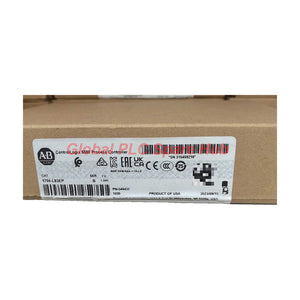
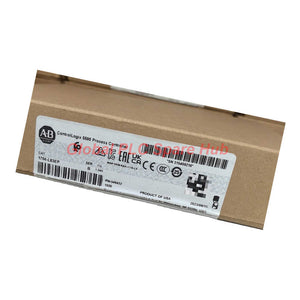
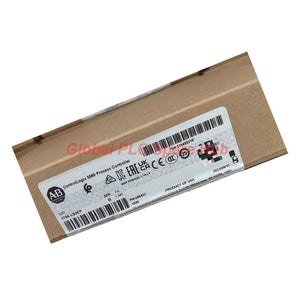
1756-L83EP Rockwell Automation ControlLogix PLC Processor
Manufacturer: Allen-Bradley
Product No.: 1756-L83EP
Condition: In stock
Product Type: Process Controller
Product Origin: USA
Payment: T/T, Western Union
Weight: 420g
Shipping port: Xiamen
Warranty: 12 months
Estimate delivery times: 12-26 days (International), 3-6 days (United States).
Return within 30 days of purchase. Duties & taxes are non-refundable.
Guaranteed Safe Checkout
1756-L83EP | ControlLogix 5580E Controller Overview
The Allen-Bradley 1756-L83EP is a ControlLogix 5580E process controller from Rockwell Automation. It provides centralized processing for demanding industrial automation applications.
This controller combines 10 MB of user memory with integrated EtherNet/IP connectivity. It supports up to 32 controller tasks and 1,000 programs per task. Engineers can develop and maintain applications through the Studio 5000 Automation Engineering and Design Environment.
Its integrated Ethernet interface connects directly to EtherNet/IP networks. This architecture eliminates the need for a separate bridge module for the controller's native Ethernet connection.
The controller supports distributed automation architectures across manufacturing, process control, and machine integration applications. Its processing capacity helps manage complex control routines and communication requirements within a ControlLogix system.
Hardware Identity & Technical Specifications
| Manufacturer | Allen-Bradley / Rockwell Automation |
| Model | 1756-L83EP |
| Product Family | ControlLogix 5580E |
| Product Series | ControlLogix |
| Product Type | Programmable Automation Controller / Processor |
| User Memory | 10 MB |
| Controller Tasks | 32 |
| Programs per Task | Up to 1,000 |
| Event Triggers | Unlimited, subject to controller configuration |
| Ethernet Communication | Integrated EtherNet/IP port |
| Ethernet Device Capacity | Up to 250 devices, according to supplied product data |
| USB Interface | USB 2.0, 12 Mbps |
| USB Ports | 1 |
| Display | 4-character alphanumeric display |
| Maximum Digital I/O | 128,000 points |
| Maximum Analog I/O | 4,000 points |
| Current Draw at 5.1 VDC | 1.2 A |
| Current Draw at 1.2 VDC | 5 mA |
| Power Dissipation | 6.2 W |
| Thermal Dissipation | 21.2 BTU/hr |
| Isolation Voltage | 50 V continuous, as specified in supplied data |
| Installation Location | ControlLogix I/O Chassis |
| Programming Environment | Studio 5000 |
| Nonvolatile Storage | Optional SD card storage support |
Specification Note: Confirm the exact Ethernet device limit, storage accessory configuration, and hardware compatibility against the applicable Rockwell Automation documentation before system design.
Controller Architecture | Processing & Execution
The 1756-L83EP organizes application execution through controller tasks and programs. This structure helps engineers separate machine sequences, process routines, and event-driven operations.
- 32 Controller Tasks: Supports multiple control routines with defined execution priorities and scheduling.
- 1,000 Programs per Task: Provides extensive program organization capacity.
- Event-Driven Execution: Supports event-triggered logic for responsive application requirements.
- 10 MB User Memory: Provides storage for controller programs, tags, and application data.
- Large I/O Capacity: Supports extensive digital and analog I/O configurations within the specified system limits.
Engineers should allocate tasks according to process criticality and execution requirements. Time-sensitive control routines should receive appropriate scheduling priorities.
Industrial Communication | Integrated EtherNet/IP
The controller provides an integrated Ethernet interface for direct EtherNet/IP network connectivity. This simplifies communication architecture and reduces the need for additional bridging hardware.
Communication Interfaces:
- EtherNet/IP: Connects the controller with compatible industrial network devices.
- USB 2.0: Provides a local engineering connection with a specified communication speed of 12 Mbps.
- Ethernet Device Integration: Supports communication with compatible I/O, drives, and automation equipment.
- Third-Party Integration: Network integration depends on supported communication interfaces and device compatibility.
Before commissioning, engineers should review network topology, IP addressing, device loading, and communication update requirements.
Do not assume that every ControlNet or third-party network option operates directly through the integrated Ethernet port. Additional communication modules may be necessary for other network protocols.
Memory Management & Nonvolatile Storage
The 10 MB user memory provides the working storage capacity for controller applications. Proper memory management helps maintain predictable controller performance.
The controller also supports nonvolatile storage through a compatible SD card configuration. The supplied product information identifies a 2 GB SD card option.
- Save the approved controller project before major program modifications.
- Maintain consistent project revisions between engineering workstations and installed controllers.
- Verify SD card compatibility before selecting replacement storage media.
- Confirm the memory image and restoration procedure before planned maintenance.
- Keep backup copies of application programs in a controlled engineering repository.
Maintenance Recommendation: Treat removable storage as part of the controller backup strategy. Verify the stored project and recovery procedure instead of relying solely on the presence of an SD card.
System Integration & Installation
The 1756-L83EP installs in a compatible ControlLogix chassis. Correct chassis selection and power budgeting are essential for reliable operation.
Recommended Installation Sequence:
- Check the Chassis: Verify the ControlLogix chassis model and available installation position.
- Review Power Capacity: Calculate chassis power requirements and confirm available supply capacity.
- Inspect the Controller: Check the module housing and backplane connector before installation.
- Install the Processor: Follow the approved Rockwell Automation chassis installation procedure.
- Connect Engineering Interfaces: Configure USB or Ethernet access as required.
- Configure Network Settings: Assign the correct IP address and review network device configuration.
- Load the Application: Download the approved Studio 5000 project.
- Validate Operation: Check controller status, task execution, I/O communication, and diagnostic messages.
Important: Follow the manufacturer's electrical safety procedures. Verify chassis power isolation before inserting or removing hardware unless the specific system supports an approved energized insertion procedure.
Engineering Applications & Deployment Scenarios
The controller supports centralized automation tasks across industrial production systems.
| Application Area | Control Function |
| Manufacturing Lines | Coordinates machine sequences and distributed I/O. |
| Process Automation | Executes process logic and equipment control routines. |
| Material Handling | Coordinates conveyors and associated automation devices. |
| Machine Integration | Connects compatible drives, sensors, and control equipment. |
| Industrial Networking | Manages EtherNet/IP communication with compatible devices. |
Commissioning & Troubleshooting Considerations
Commissioning should establish a verified relationship between controller execution, network communication, and field I/O behavior.
- Controller Status: Review the four-character display and controller diagnostic information.
- Task Execution: Check task scheduling, execution behavior, and program configuration.
- Memory Utilization: Review application memory consumption before adding major routines.
- Network Diagnostics: Investigate device communication faults and connection loading.
- Chassis Power: Compare actual power requirements with available chassis capacity.
- Backup Validation: Confirm that project files and nonvolatile storage images remain usable.
Field Engineering Tip: When multiple EtherNet/IP devices experience communication interruptions, inspect network loading and switch diagnostics first. Then examine controller connection usage and device update requirements. This approach helps distinguish network faults from controller application problems.
Compatibility & Selection Checklist
Choose the 1756-L83EP according to the complete control system architecture, not memory capacity alone.
- Confirm the ControlLogix 5580E controller family.
- Verify the chassis and power supply configuration.
- Check Studio 5000 software compatibility and project requirements.
- Evaluate the required number of controller tasks and programs.
- Calculate EtherNet/IP device and connection requirements.
- Confirm the required digital and analog I/O architecture.
- Verify SD card specifications and nonvolatile storage requirements.
Replacement Note: Do not assume direct interchangeability with ControlLogix 5560, 5570, or other 5580 controllers. Confirm catalog numbers, firmware revisions, chassis requirements, and application migration considerations before replacement.
Five Professional Engineering FAQs
Q1: How should engineers organize 32 controller tasks in a large automation project?
Separate routines according to process function and execution requirements. Use periodic tasks for scheduled control operations and event-driven tasks where application conditions justify them. Avoid unnecessary task fragmentation because it complicates troubleshooting and execution management.
Q2: What should engineers consider when the controller approaches its available memory limit?
Review tag allocation, program structure, data usage, and unnecessary project content. Remove obsolete application elements only after engineering approval. Maintain sufficient memory headroom for future changes and commissioning activities.
Q3: How can network expansion affect an existing ControlLogix application?
Additional EtherNet/IP devices increase network traffic and controller connection demand. Engineers should evaluate update rates, packet loading, switch capacity, and connection limits. Test the expanded configuration before releasing it to production.
Q4: What is a practical backup strategy before replacing a controller?
Upload or retrieve the approved project and verify its revision. Record the controller catalog number, firmware version, network settings, and I/O configuration. Prepare a recovery plan and confirm that the replacement supports the required project and hardware architecture.
Q5: How should engineers approach controller migration from an older ControlLogix platform?
Start with a hardware and software compatibility assessment. Review instruction support, communication modules, motion requirements, I/O connections, and firmware dependencies. Validate the migrated application offline before conducting controlled commissioning tests.
Tags
Q: Are these parts 100% original and new?
A: Yes. Every component is guaranteed to be 100% original, brand-new, and factory-sealed. We also provide a 12-month comprehensive warranty for your peace of mind.
Q: How fast is the shipping to my country?
A: For in-stock items, we offer same-day dispatch. International express shipping (DHL/FedEx/UPS) typically delivers within 3–5 business days worldwide.
Q: Can I get a formal quotation with shipping costs?
A: Absolutely. Our sales team is ready to provide a detailed Proforma Invoice (PI) including the most competitive shipping rates for your location.
Q: Do you offer discounts for bulk orders?
A: We provide volume-based pricing for large projects or multiple-item orders. Please contact us to get our Best Price Guarantee.
12-Month Comprehensive Warranty
Every part supplied by Global PLC Spare Hub is covered by a 12-month warranty from the date of invoice.
- Coverage: Functional defects and hardware failures under normal operating conditions.
- Commitment: We provide immediate repair, replacement, or a full refund for any verified defective components to minimize your operational downtime.
Returns & Exchange Policy
We offer a 30-day return policy to ensure you receive the exact part your system requires.
- Eligibility: Returns are accepted for uninstalled items in their original, factory-sealed packaging.
- RMA Process: Please contact our support team to obtain a Return Merchandise Authorization (RMA) number before shipping.
- Fast Processing: Refunds or exchanges are processed within 3–5 business days after the returned item passes our technical inspection.
Need Technical Assistance?Not sure if this part is compatible with your system? [Consult our Engineers] before purchasing to ensure 100% compatibility.
People Also Bought


