


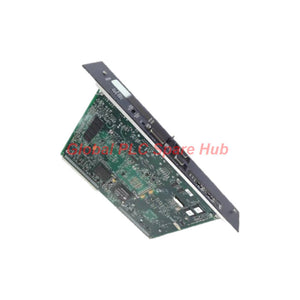


IC698CPE030 GE Fanuc PACSystems RX7i Processor
Manufacturer: GE Fanuc
Product No.: IC698CPE030
Condition: In stock
Product Type: CPU Module
Product Origin: USA
Payment: T/T, Western Union
Weight: 2300g
Shipping port: Xiamen
Warranty: 12 months
Estimate delivery times: 12-26 days (International), 3-6 days (United States).
Return within 30 days of purchase. Duties & taxes are non-refundable.
Guaranteed Safe Checkout
IC698CPE030 PACSystems RX7i CPU — High-Performance Control for Legacy and Integrated Automation Systems
The GE Fanuc IC698CPE030 is a central processing unit for the PACSystems RX7i programmable automation controller platform. Originally associated with GE Intelligent Platforms, the product family is now part of Emerson Automation's portfolio.
Built around a 600 MHz Intel Pentium M processor, this CPU combines application execution, data handling, and industrial communications in one rack-mounted controller. Its dual Ethernet interfaces, dedicated serial connections, and support for multiple programming languages make it suitable for established control architectures that require reliable operation and integration with supervisory systems.
01 | Control Architecture at a Glance
| Parameter | Specification |
|---|---|
| Model | IC698CPE030 |
| Brand | GE Fanuc / GE Intelligent Platforms legacy product family |
| Product series | PACSystems RX7i |
| Product type | Central Processing Unit (CPU) |
| Processor | 600 MHz Pentium M |
| Processor memory | 64 MB RAM, according to supplied specifications |
| Flash memory | 64 MB |
| Discrete I/O memory | 32 K bits |
| Analog I/O memory | 32 K words |
| Maximum program blocks | 512 |
| Maximum program block size | 128 KB, as stated in the supplied product information |
| Boolean execution speed | 0.069 ms per 1,000 Boolean contacts/coils, as specified in the supplied data |
| Installation | PACSystems RX7i rack |
| Backplane current | 3.4 A at +5 VDC, according to the supplied specification |
Engineering note: The figures above summarize the supplied product information. Confirm memory organization, program-block limits, power requirements, and performance figures against the applicable IC698CPE030 hardware manual and the installed firmware before designing or modifying a control system.
02 | Communication Interfaces and Protocol Support
The IC698CPE030 supports communication between the controller, engineering workstation, HMI, and other industrial control devices. Its physical interfaces should be identified correctly before connecting field equipment or planning network changes.
| Interface | Primary Role | Engineering Consideration |
|---|---|---|
| Two Ethernet ports | Industrial network communication and data exchange | Supports 10/100 Mbps operation; confirm network configuration, addressing, and duplex settings. |
| RS-232 port | Serial communication with compatible equipment | Check the required serial protocol, pinout, and cable wiring. |
| RS-485 port | Serial communication with compatible industrial devices | Verify differential wiring, termination, polarity, and communication parameters. |
| Station Manager port | CPU and Ethernet interface management access | Use the designated port and the documented connection procedure. |
Supported protocols listed in the supplied information include SRTP, Modbus TCP Server, Modbus TCP Client, Ethernet Global Data (EGD), Modbus RTU Slave, SNP, and Serial I/O. The controller also provides web server and FTP functionality, with the supplied data indicating up to 16 connections.
Protocol availability and connection limits can depend on firmware, configuration, and the communication path. Verify these details before integrating third-party PLCs, SCADA platforms, remote HMIs, or data collection software.
03 | Programming, Data Handling, and System Integration
The controller supports floating-point calculations and several programming methods, including Ladder Diagram, Structured Text, Function Block Diagram, and C. This flexibility helps maintenance teams retain existing control logic while implementing documented changes to sequencing, calculations, interlocks, and data exchange.
- Sequential control: Manage machine states, permissives, operating sequences, and interlocking logic.
- Process data handling: Exchange analog and discrete data with compatible I/O modules and supervisory systems.
- Ethernet integration: Connect compatible HMI, SCADA, engineering, and peer-control devices using supported protocols.
- Serial integration: Communicate with compatible instruments, legacy controllers, and serial devices where the configured protocol supports the application.
- Remote engineering access: Use documented programming, diagnostic, web, or FTP functions where enabled and permitted by site security rules.
The supplied software information references Proficy Machine Edition Logic Developer PLC, but lists different minimum versions in different descriptions. Confirm the supported software release, CPU firmware, and project compatibility before downloading or modifying an application.
04 | Compatible Equipment and Typical Applications
The IC698CPE030 is intended for the PACSystems RX7i rack architecture. The supplied information also identifies support for compatible Series 90-70 discrete and analog I/O modules, communication modules, VME modules, and associated programming or HMI equipment. Compatibility depends on the exact module, rack configuration, firmware, and system design.
- Legacy production lines: Maintain established PLC control logic and communication with existing operator interfaces.
- Process automation: Execute interlocks, operating sequences, and data exchange in compatible process-control installations.
- Material handling systems: Coordinate machine states and exchange status information with supported drives, I/O, and supervisory devices.
- Machine monitoring and SCADA: Provide controller data to compatible monitoring systems through configured Ethernet or serial protocols.
- Industrial system upgrades: Replace a failed CPU in an existing RX7i installation after confirming hardware revision, firmware, application backup, and rack compatibility.
Important: Do not assume that a Series 90-70 module or VME card will work in every RX7i configuration. Check the relevant hardware compatibility documentation and system-specific restrictions before ordering.
05 | Global PLC Spare HUB's Insight — Practical Commissioning and Diagnostics
When an IC698CPE030 system stops communicating or fails to execute its application correctly, changing the CPU immediately may overlook power, configuration, network, or peripheral faults. A structured investigation can help isolate the problem before replacing hardware.
- CPU startup or unexpected restart: Check rack power, backplane connections, supply stability, CPU status indicators, and diagnostic information. Review recent maintenance and configuration changes before concluding that the processor has failed.
- Ethernet communication loss: Verify link status, cable condition, switch-port configuration, IP settings, and the expected 10/100 Mbps connection. Test the engineering workstation or HMI path independently where practical.
- Serial device timeout: Confirm the physical port, cable pinout, RS-232 or RS-485 wiring, baud rate, parity, stop bits, device address, and configured protocol. For RS-485, inspect polarity and termination.
- Application download or compatibility error: Compare the project version, target CPU configuration, firmware, and supported programming environment. Preserve a verified project backup before attempting downloads or firmware changes.
- Incorrect process values: Trace the value from the field device through the I/O module and controller logic to the HMI. Check scaling, data type, communication mapping, and the status of the associated I/O channel.
- Intermittent faults after replacement: Recheck rack seating, connector condition, module compatibility, grounding, and network settings. Compare the replacement CPU's configuration with the original system records.
Field experience recommendation: Before replacing a controller, save available diagnostics and application backups, record the original network and serial settings, and document the rack layout. These records help reduce commissioning time and prevent a replacement from introducing avoidable configuration differences.
06 | Selection and Replacement Checklist
- Match the complete part number: IC698CPE030.
- Confirm that the existing rack and installed modules support this CPU.
- Check CPU hardware revision, firmware compatibility, and the programming software required by the project.
- Verify application retention, memory requirements, and backup availability using the relevant hardware documentation.
- Confirm Ethernet and serial interface requirements, including protocol support and port assignment.
- Review the power supply and rack loading against the actual system configuration.
- Plan a controlled replacement, application restoration, communication test, and process interlock verification before returning the machine to service.
07 | Supply, Warranty, and Shipping
Product: GE Fanuc IC698CPE030 PACSystems RX7i Central Processing Unit.
Warranty: 12-month warranty, subject to the seller's applicable warranty terms and conditions.
Shipping options: FedEx, UPS, and DHL, subject to destination, service availability, and shipment arrangements.
Before ordering: Contact Global PLC Spare HUB to confirm availability, product condition, hardware revision, and suitability for your existing RX7i system. For replacement projects, providing the rack model, firmware details, and relevant module list can help reduce compatibility risks.
08 | Frequently Asked Questions
FAQ 1: What information should I provide when requesting an IC698CPE030 replacement?
Provide the full part number, CPU hardware revision, firmware version, rack model, and available application backup details. Include the installed I/O and communication modules if possible. This information helps verify compatibility beyond the model number alone.
FAQ 2: Can I replace the CPU and immediately restart the production line?
Not without checking the replacement configuration and commissioning requirements. Verify the application, network settings, serial parameters, I/O mapping, and interlocks. Conduct the site's approved functional tests before returning equipment to automatic operation.
FAQ 3: What should I check if Ethernet works but the HMI cannot exchange controller data?
A working physical link does not guarantee application-level communication. Check IP addressing, the configured protocol, connection parameters, HMI tag mapping, controller status, and access restrictions. Confirm that the HMI uses a protocol supported by the installed CPU configuration.
FAQ 4: How can I reduce the risk of ordering an incompatible or unsuitable CPU?
Compare the complete part number and hardware revision with the installed unit. Verify rack compatibility, firmware, programming software, memory requirements, and required communication functions. Ask the supplier to confirm these points before shipment, especially when replacing hardware in an operating legacy system.
FAQ 5: What precautions should I take before changing CPU firmware or downloading a revised project?
Back up the original project and relevant configuration records first. Confirm the approved firmware and software combination, review the change procedure, and arrange a controlled maintenance window. Validate communications, I/O behavior, alarms, and safety-related interlocks under the site's approved commissioning process before resuming production.
Tags
Q: Are these parts 100% original and new?
A: Yes. Every component is guaranteed to be 100% original, brand-new, and factory-sealed. We also provide a 12-month comprehensive warranty for your peace of mind.
Q: How fast is the shipping to my country?
A: For in-stock items, we offer same-day dispatch. International express shipping (DHL/FedEx/UPS) typically delivers within 3–5 business days worldwide.
Q: Can I get a formal quotation with shipping costs?
A: Absolutely. Our sales team is ready to provide a detailed Proforma Invoice (PI) including the most competitive shipping rates for your location.
Q: Do you offer discounts for bulk orders?
A: We provide volume-based pricing for large projects or multiple-item orders. Please contact us to get our Best Price Guarantee.
12-Month Comprehensive Warranty
Every part supplied by Global PLC Spare Hub is covered by a 12-month warranty from the date of invoice.
- Coverage: Functional defects and hardware failures under normal operating conditions.
- Commitment: We provide immediate repair, replacement, or a full refund for any verified defective components to minimize your operational downtime.
Returns & Exchange Policy
We offer a 30-day return policy to ensure you receive the exact part your system requires.
- Eligibility: Returns are accepted for uninstalled items in their original, factory-sealed packaging.
- RMA Process: Please contact our support team to obtain a Return Merchandise Authorization (RMA) number before shipping.
- Fast Processing: Refunds or exchanges are processed within 3–5 business days after the returned item passes our technical inspection.
Need Technical Assistance?Not sure if this part is compatible with your system? [Consult our Engineers] before purchasing to ensure 100% compatibility.
People Also Bought


