


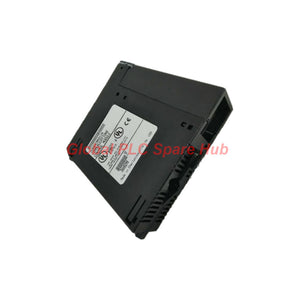
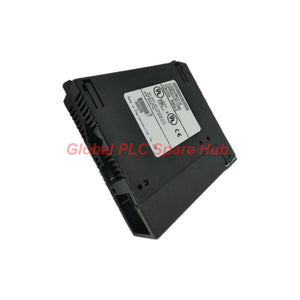
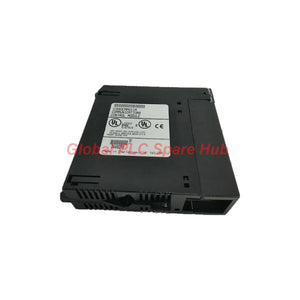
IC693CMM311 GE Series 90-30 Serial Communications Module
Manufacturer: GE Fanuc
Product No.: IC693CMM311
Condition: In stock
Product Type: Communication Coprocessor
Product Origin: USA
Payment: T/T, Western Union
Weight: 550g
Shipping port: Xiamen
Warranty: 12 months
Estimate delivery times: 12-26 days (International), 3-6 days (United States).
Return within 30 days of purchase. Duties & taxes are non-refundable.
Guaranteed Safe Checkout
IC693CMM311 | Series 90-30 Serial Communications Coprocessor
The IC693CMM311 is a GE Fanuc Series 90-30 communications coprocessor. It provides two serial ports for communication between a modular PLC and external control or monitoring equipment.
The module supports GE Fanuc CCM, Modbus RTU, and SNP communication protocols. Port 1 supports RS232. Port 2 supports RS232, RS422, and RS485, subject to the selected interface configuration.
Engineers can assign different protocols to the two ports. This allows one PLC to communicate with separate devices using different serial interfaces.
Hardware Profile | Core Specifications
| Parameter | Specification |
|---|---|
| Manufacturer | GE Fanuc |
| Product model | IC693CMM311 |
| Product family | Series 90-30 |
| Product type | Communications Coprocessor Module (CCM) |
| Serial ports | 2 |
| Port 1 electrical interface | RS232 |
| Port 2 electrical interface | RS232, RS422, or RS485 |
| Connector | 25-pin female D-shell interface arrangement |
| Supported protocols | CCM, Modbus RTU, SNP, and SNP-X where supported by the selected configuration |
| Backplane supply | 5 V DC |
| Backplane current draw | 400 mA at 5 V DC |
| Mounting | Series 90-30 CPU baseplate; single slot |
| Slot assignment | Any suitable slot except the CPU slot |
| Compatible cable | IC693CBL305 Wye cable |
| Module status indicators | Module OK, PORT1, and PORT2; verify actual label markings |
| Communication restart | Pushbutton for restarting communication |
Engineering note: Confirm the exact port electrical standard and connector wiring against the module's hardware revision and GE Fanuc documentation. The connector arrangement may require the correct breakout cable for convenient field wiring.
Communication Architecture | Two Ports, Multiple Protocols
The IC693CMM311 supports protocol combinations across its serial ports. The selected configuration determines how each port communicates with external equipment.
| Port arrangement | Example configuration | Engineering purpose |
|---|---|---|
| CCM + CCM | CCM on both ports | Connect separate devices using GE CCM communication |
| CCM + RTU | CCM on Port 1; RTU on Port 2 | Connect a GE device and a Modbus RTU device |
| RTU + CCM | RTU on Port 1; CCM on Port 2 | Support a Modbus device and a GE communication link |
| RTU + RTU | RTU on both ports | Connect separate Modbus RTU networks or devices |
| SNP/SNP-X combinations | SNP or SNP-X on one or both ports | Support compatible Series 90-30 programming or data links |
| Mixed protocol configurations | SNP/SNP-X with CCM or RTU | Integrate different serial communication requirements |
Actual protocol availability depends on the CPU, module configuration, and software support. Confirm the intended combination before commissioning.
Baud Rates and Serial Communication
The supplied product information lists the following communication rates:
- 300 baud
- 600 baud
- 1,200 baud
- 4,800 baud
- 9,600 baud
- 19,200 baud
The source also lists 240 baud. This value may represent a transcription error for 2,400 baud. Verify the correct setting against the relevant GE Fanuc manual before publishing or configuring the module.
Match the baud rate and other serial parameters at both communication endpoints. A correct electrical interface does not guarantee successful communication when protocol settings differ.
PLC Compatibility and Baseplate Requirements
The IC693CMM311 is designed for compatible modular CPUs in the GE Fanuc Series 90-30 platform.
- Install the module in a suitable Series 90-30 CPU baseplate.
- Do not install it in the CPU slot.
- Embedded CPU models identified in the supplied source, including 311, 313, and 323, are not compatible.
- Some compatible CPU and baseplate configurations support up to four communications coprocessor modules.
- Check the CPU model, firmware, rack capacity, and configuration software before adding multiple modules.
Do not assume every Series 90-30 CPU supports four communications coprocessors. Confirm the limit for the specific CPU and baseplate combination.
Wiring and Installation | Practical Sequence
- Identify the installed CPU model and baseplate type.
- Confirm the available slot and required backplane capacity.
- Install the module according to the applicable Series 90-30 hardware instructions.
- Use the IC693CBL305 Wye cable when the application requires separate serial connections.
- Connect Port 1 using the required RS232 wiring.
- Configure Port 2 for the required RS232, RS422, or RS485 interface.
- Set the required protocol and communication parameters.
- Verify the module status and test each connected device.
Follow the manufacturer's power-down and installation procedure. Confirm connector pin assignments before connecting external equipment.
Diagnostics | Module and Port-Level Checks
The module provides status indicators for the coprocessor and its serial ports. These indicators help technicians distinguish module-level problems from communication-link problems.
| Observed condition | Recommended investigation |
|---|---|
| Module OK indicator does not show normal status | Check CPU compatibility, module seating, baseplate condition, and configuration. |
| Port communication fails | Check cable continuity, connector pinout, electrical standard, and protocol settings. |
| One port works while the other fails | Investigate the affected port's wiring, interface selection, and configuration separately. |
| Communication stops after a configuration change | Verify protocol assignment and serial parameters. Review the CPU configuration. |
| External device receives incorrect data | Check protocol compatibility, data mapping, and the receiving device's communication settings. |
The communication restart pushbutton can re-initiate communication without restarting the entire module. Use it only after checking the relevant communication settings and following the manufacturer's instructions.
Compatible Equipment and Industrial Applications
- GE Fanuc Series 90-30 modular PLCs: Adds serial communication capability to supported CPU configurations.
- Modbus RTU devices: Supports compatible serial data exchange with RTU equipment.
- GE Fanuc CCM devices: Provides communication using the CCM protocol.
- Series 90-30 programming and monitoring systems: Supports compatible SNP or SNP-X serial communication.
- RS422 and RS485 equipment: Supports compatible devices through Port 2 when configured for the required electrical interface.
- Industrial data acquisition systems: Connects PLC data to suitable serial monitoring or supervisory equipment.
Typical applications include PLC-to-instrument communication, serial data collection, legacy equipment integration, and multi-device control networks.
Global PLC Spare HUB's Insight | Field Integration
The main commissioning challenge is often not the protocol itself. It is matching the port's electrical standard, cable wiring, and device settings.
Example: A Series 90-30 PLC communicates with a Modbus RTU instrument through Port 2. The engineer first confirms the port uses the correct RS485 configuration. Next, the engineer checks the cable wiring and serial parameters. The engineer then verifies the instrument's register mapping and PLC data handling.
If the instrument remains offline, the technician can test the serial link independently before changing the PLC application. This method helps isolate wiring, protocol, and data-mapping faults.
For replacement projects, record the existing port configuration before removing the module. Preserve the original protocol assignments and cable arrangement wherever the application requires them.
Selection Checklist | Before Ordering
- Confirm the CPU is a compatible modular Series 90-30 model.
- Verify the required communication protocols.
- Identify the electrical interface for each port.
- Check whether the application needs the IC693CBL305 Wye cable.
- Confirm the baud rate and serial configuration.
- Review the baseplate slot and backplane current capacity.
- Check whether the system requires multiple coprocessor modules.
Packaging, Warranty, and Shipping
- Product: GE Fanuc IC693CMM311 communications coprocessor.
- Packaging: Protective packaging for industrial electronic equipment.
- Warranty: 12 months, subject to the seller's warranty terms.
- Shipping: FedEx, UPS, and DHL.
- Dispatch estimate: 24–48 hours, subject to stock confirmation and order processing.
Confirm the included cable and accessories with Global PLC Spare HUB before placing an order.
Frequently Asked Questions
1. Can the module communicate with a device that uses a different serial protocol?
It can support different protocols across its ports, but it does not automatically translate every protocol. Confirm the available protocol combination and the external device's requirements.
2. Does installing the coprocessor change the PLC's control program?
Adding the module may require hardware configuration and communication setup. The control application may also need logic or data handling for the connected equipment. Review the existing project before installation.
3. How should a technician plan communication with several external devices?
Identify each device's protocol, electrical interface, baud rate, and wiring topology. Determine whether the application needs separate ports or additional supported modules. Check CPU and baseplate limits.
4. What should buyers confirm when sourcing a module for an existing rack?
Check the exact catalog number, CPU compatibility, slot availability, protocol needs, and required cable. Compare the installed module's configuration with the proposed replacement before ordering.
5. When should an engineer use RS422 or RS485 on Port 2?
Choose the interface that matches the external equipment and network design. RS422 and RS485 use different wiring arrangements and network characteristics. Confirm the device manual and cable topology before selecting the port configuration.
Request a Quote | IC693CMM311
Contact Global PLC Spare HUB for pricing, availability, compatibility checks, and delivery information for the IC693CMM311. Include your CPU model, communication protocol, and cable requirements to support accurate selection.
Tags
Q: Are these parts 100% original and new?
A: Yes. Every component is guaranteed to be 100% original, brand-new, and factory-sealed. We also provide a 12-month comprehensive warranty for your peace of mind.
Q: How fast is the shipping to my country?
A: For in-stock items, we offer same-day dispatch. International express shipping (DHL/FedEx/UPS) typically delivers within 3–5 business days worldwide.
Q: Can I get a formal quotation with shipping costs?
A: Absolutely. Our sales team is ready to provide a detailed Proforma Invoice (PI) including the most competitive shipping rates for your location.
Q: Do you offer discounts for bulk orders?
A: We provide volume-based pricing for large projects or multiple-item orders. Please contact us to get our Best Price Guarantee.
12-Month Comprehensive Warranty
Every part supplied by Global PLC Spare Hub is covered by a 12-month warranty from the date of invoice.
- Coverage: Functional defects and hardware failures under normal operating conditions.
- Commitment: We provide immediate repair, replacement, or a full refund for any verified defective components to minimize your operational downtime.
Returns & Exchange Policy
We offer a 30-day return policy to ensure you receive the exact part your system requires.
- Eligibility: Returns are accepted for uninstalled items in their original, factory-sealed packaging.
- RMA Process: Please contact our support team to obtain a Return Merchandise Authorization (RMA) number before shipping.
- Fast Processing: Refunds or exchanges are processed within 3–5 business days after the returned item passes our technical inspection.
Need Technical Assistance?Not sure if this part is compatible with your system? [Consult our Engineers] before purchasing to ensure 100% compatibility.
People Also Bought


