


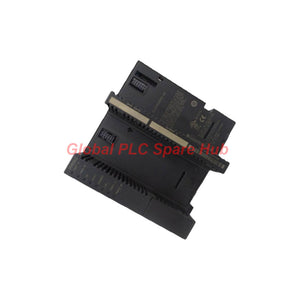
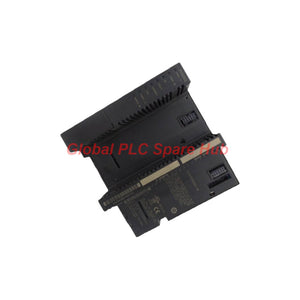
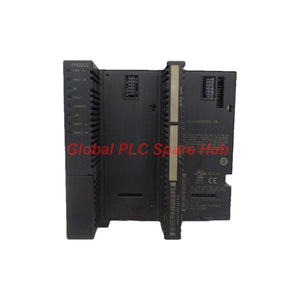
IC200PNS002 GE Fanuc VersaMax PROFINET Scanner Module
Manufacturer: GE Fanuc
Product No.: IC200PNS002
Condition: In stock
Product Type: PROFINET Scanner Module
Product Origin: USA
Payment: T/T, Western Union
Weight: 300g
Shipping port: Xiamen
Warranty: 12 months
Estimate delivery times: 12-26 days (International), 3-6 days (United States).
Return within 30 days of purchase. Duties & taxes are non-refundable.
Guaranteed Safe Checkout
GE Fanuc IC200PNS002 VersaMax PROFINET Scanner Module Overview
The IC200PNS002 is a GE Fanuc VersaMax PROFINET Scanner (PNS) module for industrial Ethernet communication. It provides two 100 Mbps SC-duplex multimode fiber-optic ports for PROFINET network connectivity.
The module supports PROFINET Version 2.2 Class A IO-Device operation. It works with compatible control architectures using Proficy Machine Edition Version 7.0 or later and an RX3i CPU with firmware Version 7.0 or later, as specified in the supplied information.
Engineers can configure PROFINET I/O data update intervals from 1 ms to 512 ms. This flexibility helps match network update settings to process response requirements and communication capacity.
The GE Fanuc IC200PNS002 suits industrial applications that require fiber-optic network links, configurable I/O updates, and diagnostic visibility through front-panel LEDs.
01 | At a Glance: Key Engineering Benefits
- Dual fiber connectivity: Two SC-duplex ports support 100 Mbps multimode fiber connections.
- Configurable update intervals: Select an I/O data update setting from 1 ms through 512 ms.
- PROFINET integration: Supports PROFINET Version 2.2 Class A IO-Device operation.
- Engineering software support: Uses Proficy Machine Edition Version 7.0 or later.
- RX3i compatibility requirement: The specified application requires an RX3i CPU with firmware Version 7.0 or later.
- Front-panel diagnostics: LED indicators help engineers assess power, module health, network activity, and controller communication.
- Industrial temperature range: Supports operation from 0°C to 60°C without a fan, according to the supplied specifications.
02 | Technical Specifications
| Brand | GE Fanuc |
| Series | VersaMax |
| Model / Part Number | IC200PNS002 |
| Product Type | PROFINET Scanner (PNS) Module |
| PROFINET Support | PROFINET Version 2.2 Class A IO-Device |
| Engineering Software | Proficy Machine Edition Version 7.0 or later |
| Specified CPU Compatibility | RX3i CPU with firmware Version 7.0 or later |
| Fiber Ports | 2 × SC-duplex |
| Fiber Type | Multimode fiber (MMF) |
| Port Speed | 100 Mbps per port |
| I/O Update Intervals | 1, 2, 4, 8, 16, 32, 64, 128, 256, or 512 ms |
| Power Supply Requirement | 5 V DC |
| Specified Current Consumption | 1.10 A at 5 V DC |
| Listed Power Consumption | Approximately 5 W in the supplied description; confirm the manufacturer's rating because 1.10 A at 5 V equals 5.5 W. |
| Operating Temperature | 0°C to 60°C without a fan |
| Height | 132 mm (5.2 in) |
| Width | 134 mm (5.28 in) |
| Depth | Not provided in the supplied specifications |
| Certification Details | Verify the applicable approvals against the module label and official documentation. |
03 | Fiber-Optic Connectivity and Network Design
The IC200PNS002 provides two SC-duplex multimode fiber ports rated at 100 Mbps. Fiber links can help reduce exposure to electromagnetic interference compared with copper Ethernet links.
- Connector compatibility: Use matching SC-duplex fiber connectors and the specified multimode fiber type.
- Optical link verification: Check connector cleanliness, fiber continuity, and the applicable optical link budget.
- Network planning: Confirm the intended PROFINET topology and the role of each port in the system design.
- Update configuration: Choose the cycle setting according to process response, controller configuration, and network loading.
Do not assume that two ports automatically provide redundancy or a specific ring topology. Confirm supported network arrangements in the manufacturer's documentation.
04 | PROFINET Update Timing and Application Performance
The module offers ten configurable I/O data update intervals. The selected interval affects how frequently the system exchanges process data.
| Update Interval | Engineering Consideration |
| 1–4 ms | Consider for fast discrete processes when the complete network and controller configuration support the required timing. |
| 8–32 ms | Consider for general machine control and routine discrete I/O exchanges. |
| 64–512 ms | Consider for slower status signals and monitoring applications where longer update intervals are acceptable. |
These are selection guidelines, not guaranteed performance classifications. The actual response depends on the complete controller, network, device configuration, and application.
05 | LED Diagnostics and Fault Isolation
The front-panel indicators provide useful clues during startup, commissioning, and maintenance. Interpret each LED alongside the controller diagnostics and network configuration.
| LED | Indication | Recommended Check |
| PWR1 / PWR2 | Solid green when on | Check the applicable power source and supply connections if the expected indication is absent. |
| OK | Solid green during normal operation | Check startup status, module configuration, and reported hardware faults if the LED does not show normal operation. |
| OK | Flashing amber under the stated restart condition | Check whether automatic restart is configured and review the module's startup status. |
| FAULT | Normally off without a reported PROFINET diagnostic condition; solid amber when a diagnostic condition exists | Review scanner and node diagnostics to identify the affected device or module. |
| CONNECT | Flashing amber during startup; solid green after communication with the primary I/O controller is established | Check controller availability, network connectivity, and device configuration if communication does not establish. |
| CONNECT | Rapid amber flashing during firmware updates | Allow the update procedure to complete. Do not interrupt power during an active firmware update. |
| LAN | Flashes during Ethernet packet activity; off when inactive | Check the physical fiber link and expected network traffic if communication is absent. |
Use the exact LED definitions for the installed hardware and firmware revision. LED behavior should guide troubleshooting, not replace diagnostic records or electrical measurements.
06 | Practical Troubleshooting Workflow
- Power-up failure: Verify the applicable 5 V DC supply, connections, and module seating. Review the OK and power indicators.
- Controller connection failure: Check the primary I/O controller, RX3i CPU firmware requirement, PROFINET configuration, and CONNECT LED.
- No network activity: Inspect both fiber connections, connector cleanliness, optical continuity, and the LAN indication.
- Node diagnostic alarm: Review the FAULT LED and identify the reported device or module in the engineering software.
- Slow process updates: Check the configured update interval and compare it with the process response requirement.
- Intermittent communication: Inspect fiber routing, connector condition, network configuration, and diagnostic event history.
Before replacing the scanner, confirm that the fault follows the module rather than the fiber cable, controller configuration, or connected network device.
07 | Installation and Commissioning Checklist
- Confirm identification: Match the module label to IC200PNS002 and verify the required system architecture.
- Verify compatibility: Confirm the RX3i CPU, firmware version, and Proficy Machine Edition requirements.
- Check the power budget: Allow for the specified current demand and verify the correct supply arrangement.
- Prepare the fiber links: Match the connectors and multimode fiber to the installation design.
- Install the module: Follow the approved VersaMax hardware instructions and isolate power when required.
- Configure PROFINET: Check device identification, network parameters, controller configuration, and I/O assignments.
- Set update timing: Select a supported interval suitable for the process and complete network.
- Validate operation: Check LED states, controller communication, I/O data exchange, and diagnostic status.
08 | Compatible Systems and Equipment
- GE Fanuc RX3i PLC: The supplied application information specifies an RX3i CPU with firmware Version 7.0 or later.
- GE Fanuc VersaMax architecture: Intended for compatible VersaMax PROFINET integration.
- Proficy Machine Edition: Version 7.0 or later is specified for engineering and configuration.
- PROFINET network devices: Suitable devices within the supported network architecture and configured communication design.
- Multimode fiber infrastructure: Compatible SC-duplex connectors, fiber specifications, and optical link budgets are required.
Confirm the exact hardware revision, firmware support, engineering software version, and system topology before ordering a replacement. Similar-looking VersaMax modules may serve different communication functions.
09 | Typical Industrial Applications
- Automotive manufacturing: Connect distributed control equipment within PROFINET-based production lines.
- Packaging systems: Exchange discrete I/O data between compatible control devices and the central controller.
- Material handling: Support networked conveyor and transfer-system control architectures.
- Water and wastewater: Integrate compatible remote equipment and discrete status signals into a PLC-based system.
- Process automation: Support configured PROFINET communication between compatible devices and control equipment.
- Machine retrofits: Replace an existing scanner after checking firmware, topology, fiber connections, and I/O configuration.
10 | Global PLC Spare HUB's Insight
During commissioning, a network communication fault can resemble a scanner hardware failure. Engineers should separate physical-layer problems from configuration and controller issues before changing modules.
Field example: A VersaMax node stops exchanging I/O data after maintenance. The scanner powers up, but the CONNECT LED does not reach solid green.
- Check the power indicators and confirm stable module power.
- Inspect both SC-duplex fiber connections and verify the intended port connections.
- Check the RX3i CPU firmware and engineering software versions.
- Review PROFINET device configuration and controller diagnostic messages.
- Confirm the configured update interval and validate data exchange after communication returns.
This sequence helps technicians identify the fault domain before replacing the IC200PNS002. Record the original LED states and diagnostic messages before making configuration changes.
11 | Packaging, Warranty, and Shipping
- Product: GE Fanuc VersaMax IC200PNS002 PROFINET Scanner Module.
- Packaging: Protective packaging suitable for international transport.
- Included items: The module is supplied as quoted. Additional cables, accessories, and documents require confirmation.
- Warranty: 12 months under the agreed sales terms.
- Pre-shipment checks: Model identification and available inspection or functional checks can be confirmed before dispatch.
- Dispatch target: Typically 24–48 hours after order confirmation, subject to stock and payment verification.
- Courier options: FedEx, UPS, and DHL.
- Quotation support: Contact Global PLC Spare HUB for availability, pricing, and delivery estimates.
12 | Frequently Asked Questions
Q1: What information should I collect before replacing an IC200PNS002 in an operating plant?
Record the module revision, CPU model, firmware version, engineering software version, device configuration, fiber topology, and current diagnostic messages. Compare these details with the replacement requirements before installation.
Q2: How should I assess whether the configured I/O update interval is suitable?
Compare the selected interval with the process response requirement and the timing limits of the complete control system. Validate actual behavior during commissioning rather than relying on the configured interval alone.
Q3: What should I check when the scanner communicates intermittently despite normal power indications?
Inspect fiber connectors, cable routing, optical link quality, controller diagnostics, and network configuration. Review event logs to determine whether communication loss follows a physical disturbance or a configuration change.
Q4: What details help distinguish the IC200PNS002 from other VersaMax communication modules?
Check the complete part number, product label, port type, communication protocol, and intended system role. Do not select a substitute solely because it belongs to the VersaMax family.
Q5: What should a maintenance team verify before scheduling a scanner replacement?
Confirm stock and delivery timing, compatible firmware and software, backup configuration files, fiber connector requirements, and the approved shutdown procedure. Plan post-replacement communication and I/O validation before returning equipment to service.
Request a Quote for GE Fanuc IC200PNS002
Looking for the IC200PNS002 VersaMax PROFINET Scanner Module for maintenance, system integration, or a planned replacement?
Contact Global PLC Spare HUB for a quotation, availability confirmation, technical compatibility checks, and international shipping options through FedEx, UPS, or DHL.
Tags
Q: Are these parts 100% original and new?
A: Yes. Every component is guaranteed to be 100% original, brand-new, and factory-sealed. We also provide a 12-month comprehensive warranty for your peace of mind.
Q: How fast is the shipping to my country?
A: For in-stock items, we offer same-day dispatch. International express shipping (DHL/FedEx/UPS) typically delivers within 3–5 business days worldwide.
Q: Can I get a formal quotation with shipping costs?
A: Absolutely. Our sales team is ready to provide a detailed Proforma Invoice (PI) including the most competitive shipping rates for your location.
Q: Do you offer discounts for bulk orders?
A: We provide volume-based pricing for large projects or multiple-item orders. Please contact us to get our Best Price Guarantee.
12-Month Comprehensive Warranty
Every part supplied by Global PLC Spare Hub is covered by a 12-month warranty from the date of invoice.
- Coverage: Functional defects and hardware failures under normal operating conditions.
- Commitment: We provide immediate repair, replacement, or a full refund for any verified defective components to minimize your operational downtime.
Returns & Exchange Policy
We offer a 30-day return policy to ensure you receive the exact part your system requires.
- Eligibility: Returns are accepted for uninstalled items in their original, factory-sealed packaging.
- RMA Process: Please contact our support team to obtain a Return Merchandise Authorization (RMA) number before shipping.
- Fast Processing: Refunds or exchanges are processed within 3–5 business days after the returned item passes our technical inspection.
Need Technical Assistance?Not sure if this part is compatible with your system? [Consult our Engineers] before purchasing to ensure 100% compatibility.
People Also Bought


